Your entire beat catalog in one place. Import your beats, tag them your way, find anything instantly, and keep everything organized — without ever needing an internet connection.
Built for producers who have hundreds of beats scattered across folders and want a fast, clean way to manage them all.
Click to enlarge
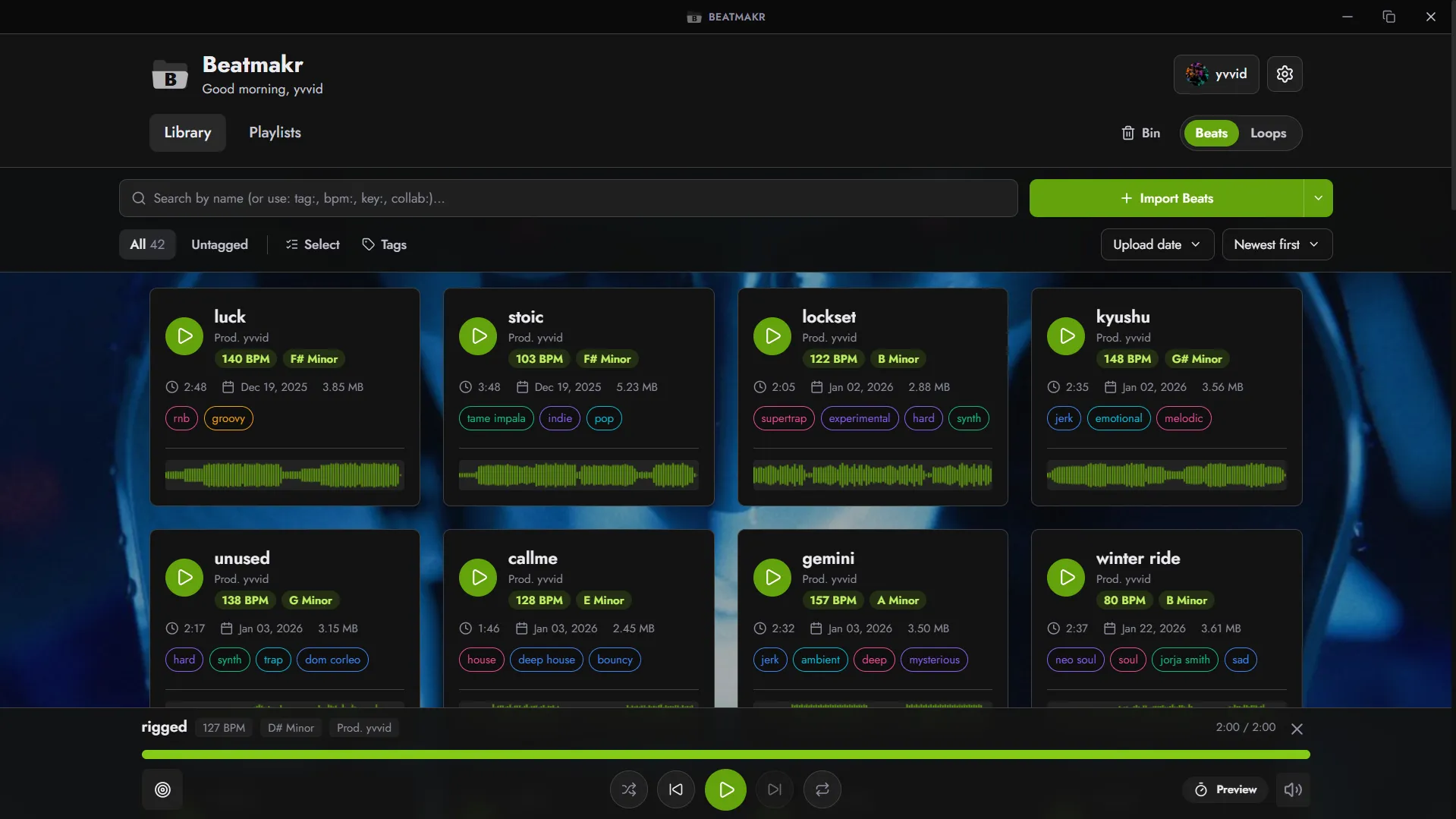
Beat library — cards with waveform, BPM, key, tags, and inline player
Click to enlarge
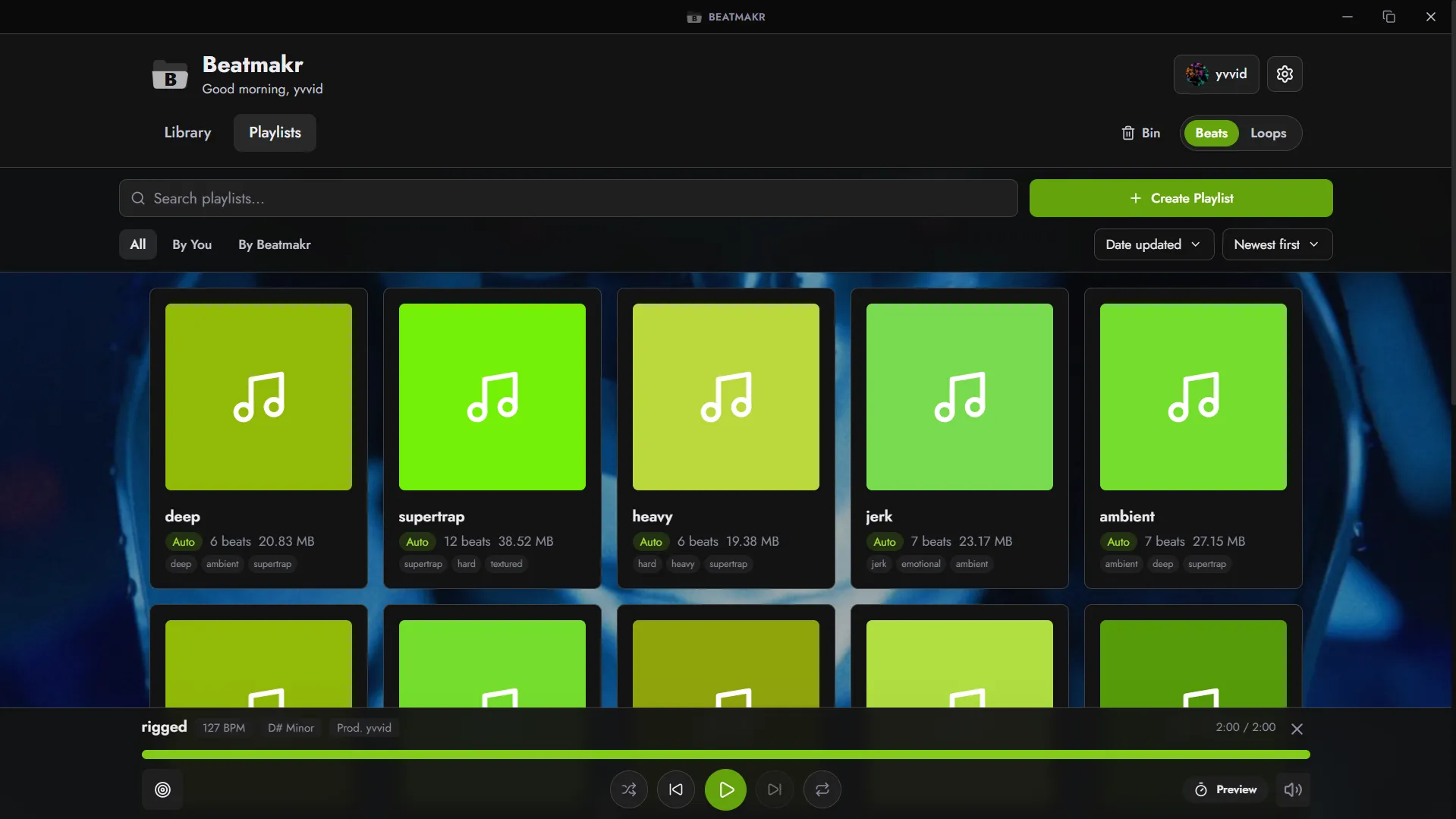
Playlists — auto-generated by tag, by collaborator, or fully custom
Import
Get your beats in
Drag-and-drop files or folders, or click to browse
Works with all the usual audio formats — MP3, WAV, FLAC, and more
Duplicates are automatically skipped
Drop a file straight onto a beat to attach it — WAV, stems, or a cover image
Watch folders (live)
Point Beatmakr to your DAW export folder
New renders appear in your library the moment they finish — no need to switch back to the app
Auto-detected info
BPM, key, and fine tuning picked up from your filenames
Collaborators and producers recognized automatically (feat., prod., w/...)
The date of each beat is kept so your oldest ones stay in order
Library
Beat cards
See everything at a glance: title, BPM, key, duration, tags, collaborators
Waveform on every card — click anywhere to jump to that part
Cover art — drop an image on a beat and it shows up everywhere
Add or remove tags directly on the card without opening the editor
Double-click any field to edit it on the spot
Missing file warning if a beat got moved or deleted
Beats & Loops
Two separate collections — switch between them with one click
Playlists, tags, and everything else are scoped to each collection
Search
Find beats by tag, BPM range, key, or collaborator
Smart autocomplete that suggests as you type
Filter by: All / Untagged / Favorites
Sort & select
Sort by name, date, BPM — ascending or descending
Multi-select with Ctrl+click or Shift+click
Bulk delete, export, or add to playlist
Beat Editor
Edit your beats
Title, BPM, key, fine tuning, collaborators, tags — all in one place
Add each producer as its own entry — no messy comma lists
Beat Switch mode for beats with multiple sections at different tempos or keys
Attach MP3, WAV, stems, and cover image to each beat
YouTube link and store link per beat — one click to your promo or sale page
Auto-detect
One-click BPM detection — double or halve it if the result is off
Key detection that handles tricky intros
Tap Tempo if you prefer doing it by ear
File management
Replace the audio file without losing any of your tags or metadata
Relink a missing file — Beatmakr tracks it down for you
Playlists
Create your own
Name, color, description, and cover image
Add beats one by one or in bulk
Pin your most-used playlists to the top
Auto-generated
A playlist for each tag, each collaborator, and your solo beats
Favorites playlist — always up to date
Everything updates automatically as you tag and organize
Player
Playback
Play, pause, skip, seek — everything you'd expect
Volume control with keyboard shortcuts
Shuffle, Clever Shuffle (picks beats similar to what's playing), or sequential play
Loop a single track or your whole queue
Play history — jump back to any recent beat
Session mode
Preview each beat for 5 to 60 seconds, then auto-skip to the next
Perfect for reviewing your catalog quickly
Player bar
Always visible with cover art, BPM, key, and producer info
Optional: mute when you minimize the app
Optional: auto-scroll to the beat that's currently playing
Export & Share
Send beats out
Export a selection or a full playlist — ready to drag into your email, Discord, or wherever
Auto-rename on export: choose a preset naming style or build your own
Heads-up if your export is too heavy for Gmail or Discord
Backup
Export your entire library as a backup file
Restore from backup — duplicates are detected and skipped
Your data is never lost, even across app updates
Tags
Organize your way
Create tags with names and colors — new tags pick an unused color automatically
Tag Manager to rename, merge, or delete tags
Add tags inline from the card or from the editor — with search and create-new
Tags turn into playlists on their own once they have enough beats
The App
Look & feel
Dark, Light, or match your system
20 accent colors — buttons and covers follow the theme you pick
Custom wallpaper with intensity control
Startup sound and splash screen
Desktop app
Runs on Windows — lightweight and fast
Works 100% offline, no account needed
Your beats and data stay on your machine
Updates never touch your library — your data is always safe
Recycle bin
Deleted beats go to the bin first — restore them anytime